Presentation templates
PowerPoint Templates
Almagreta's PowerPoint templates: clean slide systems that amplify ideas instead of burying them in clutter.
Most presentation problems come from unreadable text, inconsistent animation, crowded all-text slides, and decorative templates that compete with the message. Almagreta's PowerPoint templates fix that with clean, practical slide systems.

Unreadable text, cluttered layouts, inconsistent animation, and overdesigned slide backgrounds.
Clear hierarchy, restrained color, readable type, strong contrast, and slide types that match real business conversations.
Message clarity before decoration; content structure before transitions.
Clean, professional templates that amplify your ideas instead of distracting from them.
Decks for interviews, investor updates, internal reviews, and conference talks — pick the one that matches your meeting.
What these templates are for
Almagreta's PowerPoint templates save you time, help you impress the audience, get your message across, and finish slides without spending the night fighting PowerPoint formatting and design tools. The emphasis isn't fancy decoration; it's clarity, typography, contrast, and enough structure to help you prepare faster.
The problem they solve
Say no to poorly designed slides and distracting eye candy: weak font and color choices, unreadable text, sloppy all-text slides, inconsistent transitions, cluttered layouts, and overdesigned templates that overpower the message.
When a clean template helps most
A template is useful when the presenter already has a message but needs a reliable slide rhythm: title, problem, evidence, recommendation, next step, appendix, and follow-up. It should reduce formatting decisions so the presenter can focus on content before a busy presentation day.
The design standard
Simple design, fonts, contrast, and color are the tools that eliminate clutter and minimize distraction from your message. Slides should highlight your content, not compete with it.
Built to communicate, not decorate
These decks are made for people who need to communicate, persuade, and decide. They give you a practical structure to build an impressive presentation quickly, instead of decorative slide art that competes with your message.
What's in the decks
Across the decks you'll find agenda slides, section dividers, title-and-evidence layouts, comparison tables, metric callouts, image layouts, quote slides, timeline slides, decision slides, and appendix pages with consistent type and spacing.
What's available now
The presentation pack includes separate editable decks for interview portfolios, investor updates, internal business reviews, and conference talks — all free to download and adapt.
Almagreta
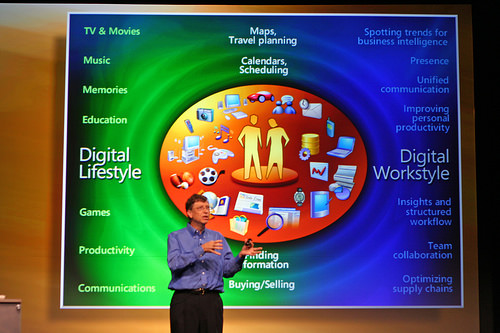
The Almagreta logo, a cluttered-slide example, the PowerPoint templates image, and the Dream Job ebook cover.


FAQ
What kind of PowerPoint templates are these?
Editable PPTX templates with a clear focus: clean, practical slide systems that help you communicate, not decorative themes that compete with your message.
How many decks are included?
The library includes multiple editable PPTX decks — interview portfolios, investor updates, internal business reviews, and conference talks — all free to download and adapt.
What makes a presentation template professional?
It should make content easier to scan, preserve consistent hierarchy, and help the presenter make decisions faster without visual clutter.
Pair this guide with a clean editable template, then proof the final file before sending it.
Browse templates